
Auto model
Auto is a choice in the model menu, next to the models themselves. With Auto, Haiku reads your prompt when you start the session and picks the model it runs on: Haiku for quick answers, Sonnet for everyday coding, Opus for complex, multi-step work. With Fable turned on, it can pick Fable for the hardest work.
It picks the effort too: low for a quick answer, medium for most work, high for a hard bug. An effort you set yourself in the effort chip wins.
Use it when you don’t want to choose a model for every session. Quick answers then don’t run on Opus, and you can see each pick and undo it.
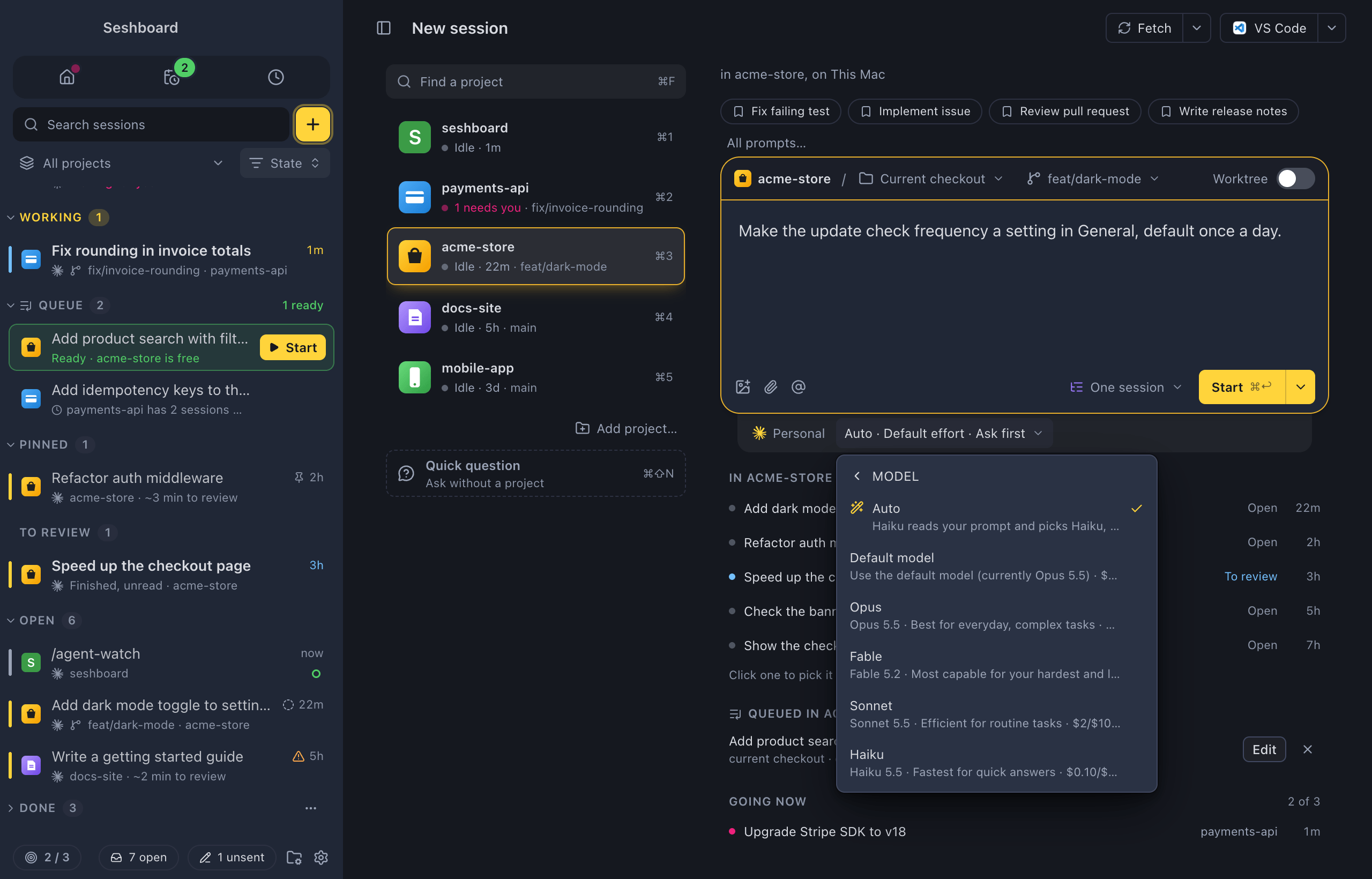
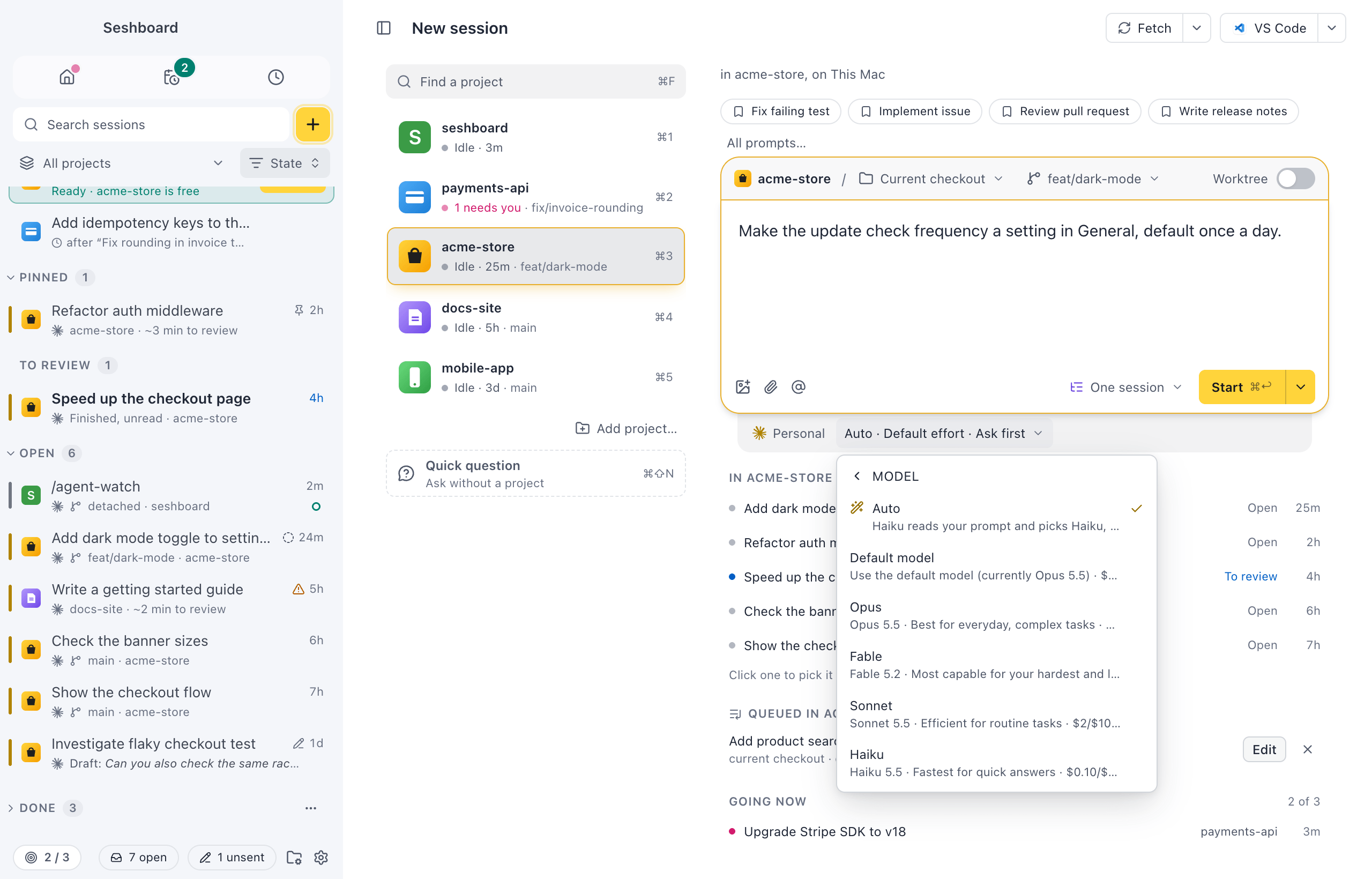
Pick Auto
Section titled “Pick Auto”Auto is the first item in every model menu: in New session, in the command palette’s New session step, and in a project’s Settings tab. The model chip under the message box then shows a wand and Auto.
The permission mode can also be called Auto. The model chip always shows its wand, so the two never look the same.
Starting a session
Section titled “Starting a session”Press Start (Command, ReturnControl, Enter) as usual. The session opens right away, so you can start the next one. It shows your prompt, and under it Auto is choosing a model… while Haiku reads the prompt, which takes about a second. The model chip reads Auto until then.
Your prompt goes to Claude once Auto has picked, on the model it picked. If you pick a model in the chip before that, your model is used and Auto’s pick is dropped. Stop session in the session’s ⋯ menu stops it before anything is sent.
What Haiku sees
Section titled “What Haiku sees”Only the text of your prompt. It never sees your files, your memory, CLAUDE.md or the project’s name. When the prompt has images, Haiku isn’t sent them; it is told how many there are.
A few rules come before Haiku’s pick:
- A prompt that changes code never goes to Haiku.
- A prompt about images goes to Opus.
- With one model allowed in Settings, Auto picks it without asking Haiku.
Picked once
Section titled “Picked once”Auto picks when the session starts and never switches by itself. Claude Code’s prompt cache belongs to one model, so switching would read the whole conversation again. Later, Auto can only suggest a step up.
When picking fails
Section titled “When picking fails”If Haiku doesn’t answer within a few seconds, or answers something Seshboard can’t use, the session starts on your default model. There is no error to dismiss: the chip reads Auto · Default model, and the first line of the session says why.
In the session
Section titled “In the session”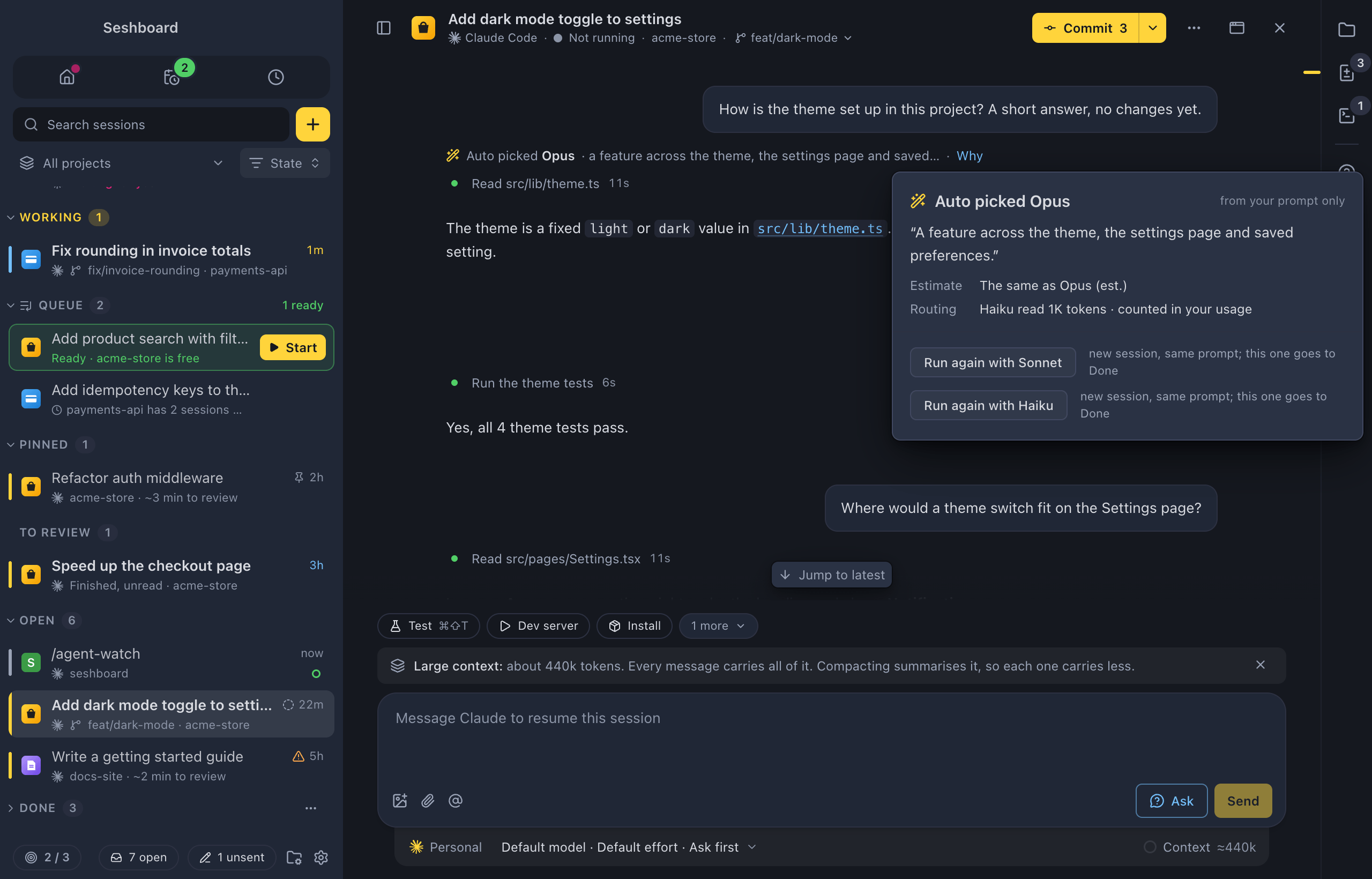
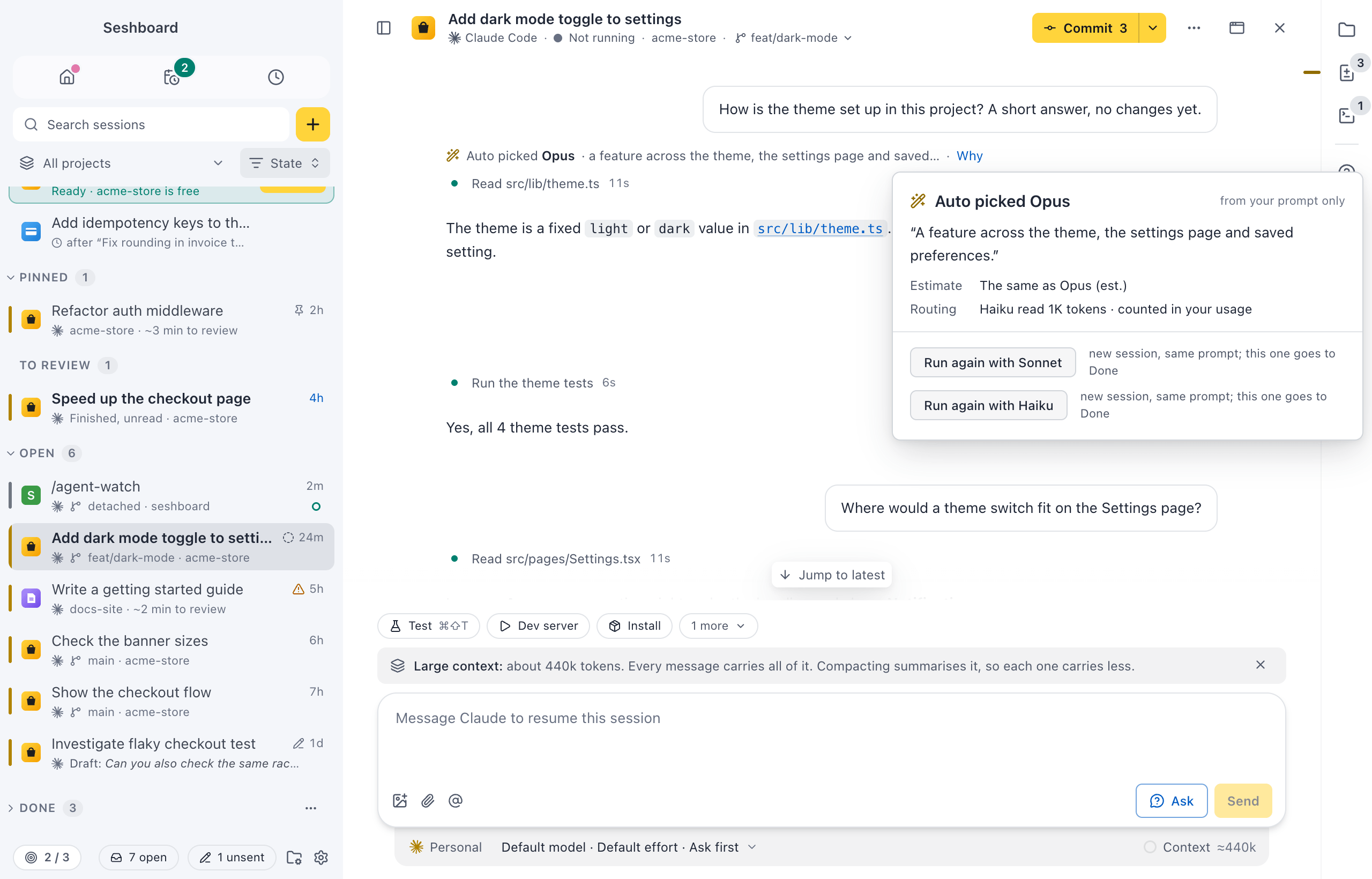
The model chip reads Auto · Sonnet: the wand, Auto and the model it picked. It keeps saying Auto as long as the session runs on that model. Once you change the model, the chip shows the plain model.
Above Claude’s first answer, a quiet line says what Auto picked and why, such as “Auto picked Sonnet · a small, local change · Why”. Why opens the details. So does Why Auto picked Sonnet in the model chip’s menu.
The details show:
- the reason Haiku gave, in full
- Effort: the effort Auto picked with the model, such as “Low, picked with the model”.
- Estimate: how much the model uses against Opus, at today’s list prices: “Under a tenth of what Opus would use (est.)” for Haiku, about half for Sonnet, about twice for Fable. It is an estimate, like the shares in Usage.
- Routing: how many tokens Haiku read to pick. They count in your usage.
- Run again with Opus (and the other models Auto may pick): starts a new session with the same prompt and images on that model, and archives this one. To undo, find it in Archived.
- Use Opus from the next message: switches the model for the rest of the session. The cache starts over, so the next turn reads the whole conversation again.
A step up later
Section titled “A step up later”When a session started by Auto grows past its first prompt, a note above the message box suggests one step up, not a jump to the strongest model:
-
More effort on the same model first, up to high:
This looks harder than the first prompt. Give Sonnet more time to think and check its work, from this message?
Choose Use high effort, Keep medium effort or Don’t suggest in this session.
-
The next model up, at medium effort, once the effort is high, or right away when you ask for something new and big:
This looks bigger than the first prompt. Use Opus at medium effort from this message? Its cache starts over, so the next turn reads about 84K tokens again.
The number is the session’s context right now. Choose Use Opus, Keep Sonnet or Don’t suggest in this session. With a large context, Compact, then use Opus compacts the conversation on the current model first, so the new model’s first turn stays small.
The note shows when you ask to plan, refactor or design across many files, when Claude has edited many files, when the session has run for many messages, or when tool calls keep failing. Seshboard reads this from the conversation; it makes no extra model call. It never switches without a click, and it shows at most once per session. It only suggests models you allow in Settings.
Queued prompts and project defaults
Section titled “Queued prompts and project defaults”A queued prompt on Auto is routed when it starts, not when you add it, so it picks with your settings at that moment.
A project can start every new session on Auto: choose Auto for Model on the project’s Settings tab.
Each pick uses a few hundred to a few thousand Haiku tokens. The call runs on the session’s Claude profile, so it counts toward that plan. In Usage, the Model breakdown shows the calls as their own row, Auto routing, with how many picks it made.
Each model’s row says how many of its sessions Auto picked, and how many of those you moved to another model, such as “Sonnet · 11 by Auto, 2 changed”. If you often move sessions to a stronger model, set When in doubt to Stronger.
Settings
Section titled “Settings”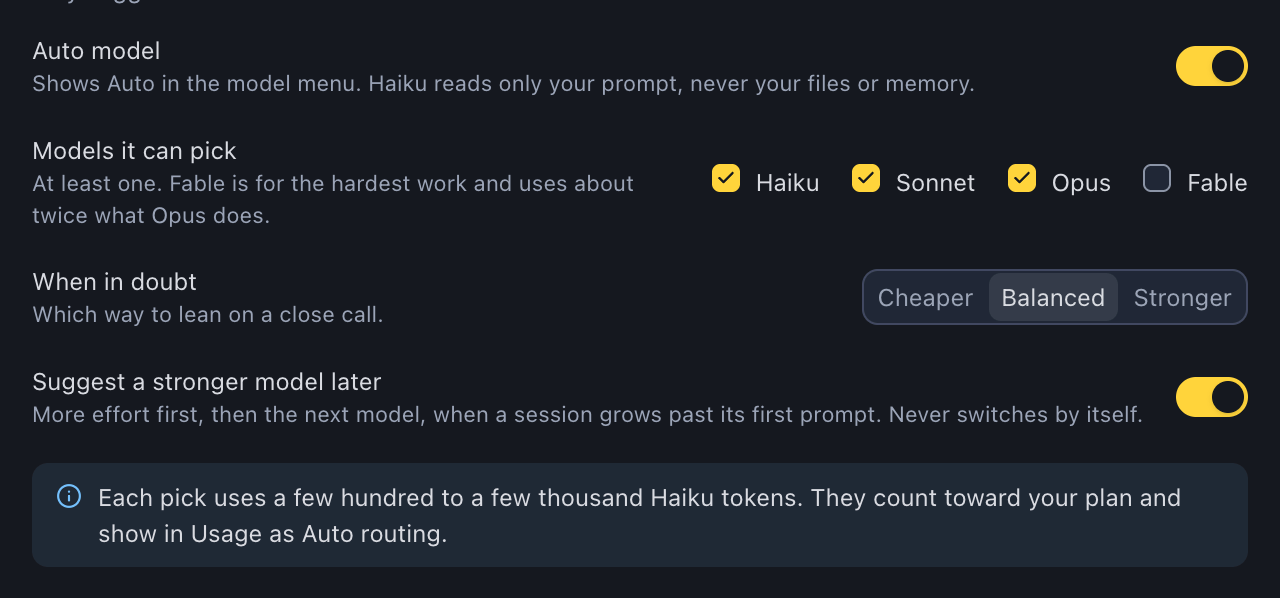
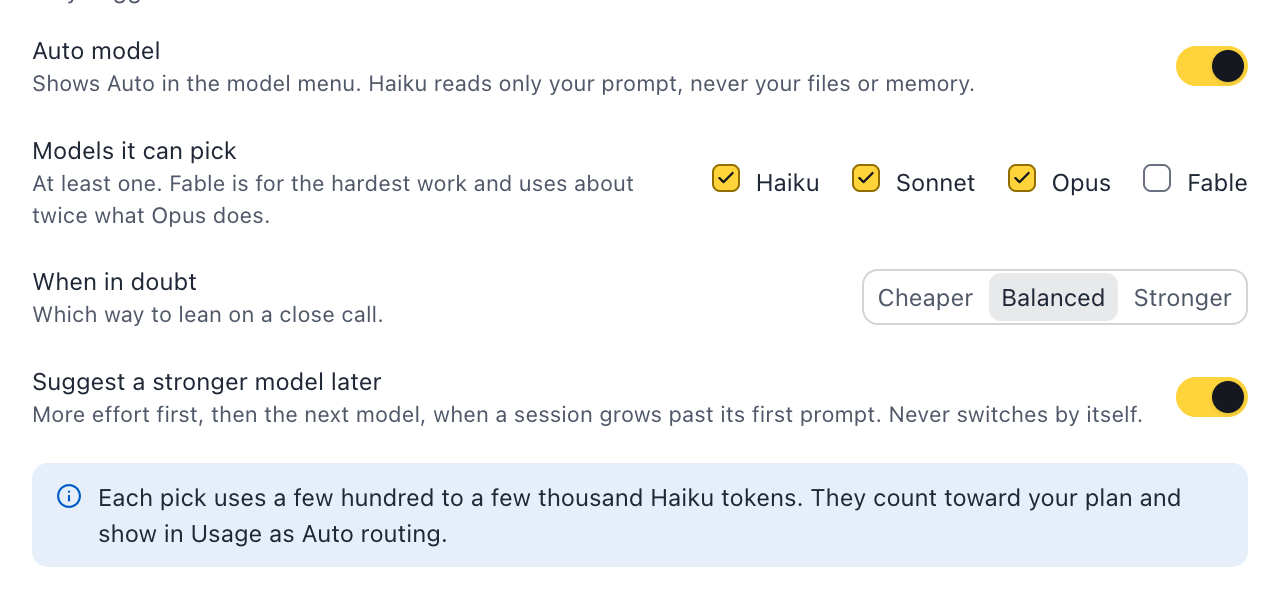
In Settings, under Conversation:
| Setting | What it does |
|---|---|
| Auto model | Shows Auto in the model menus. On by default. |
| Models it can pick | Haiku, Sonnet, Opus and Fable. At least one stays checked. Fable is off by default: it is for the hardest work, such as a migration across the whole codebase, and uses about twice what Opus does. |
| When in doubt | Which way Auto leans on a close call: Cheaper, Balanced or Stronger. |
| Suggest a stronger model later | The note above the message box: more effort first, then the next model. It never switches by itself. |
Related
Section titled “Related”- Model, effort and modeThe chips under the message box that set the profile, model, effort and permission mode of a session.
- UsageSee what is left of your plan, when it comes back, and which sessions, projects and models used your tokens.
- Project settingsThe Claude profile and the choices new sessions in a project start with, the instructions its orchestrator and plan mode follow, and its name and icon in Seshboard.
- QueueKeep prompts to start later, in the order you want them, and see when each one is ready.